

💻 Lost Your Laptop? Here's What You Should Do First
Losing a laptop is stressful — and if you’ve just discovered your lost laptop is missing, the next hour matters more than anything else.
Two years ago I left my laptop on a train from London to Birmingham. I realized about forty minutes after getting off—that horrible delayed panic when your brain finally catches up with what your hands already know is missing.
I spent the next three hours doing everything wrong. Calling the wrong numbers. Waiting for callbacks that never came. Checking my bag seventeen times as if the laptop might somehow reappear.
Eventually I got it back — but only because I stumbled onto the right steps almost by accident. This guide is what I wish I’d had that day.
⚡ Do These 3 Things in the First 15 Minutes
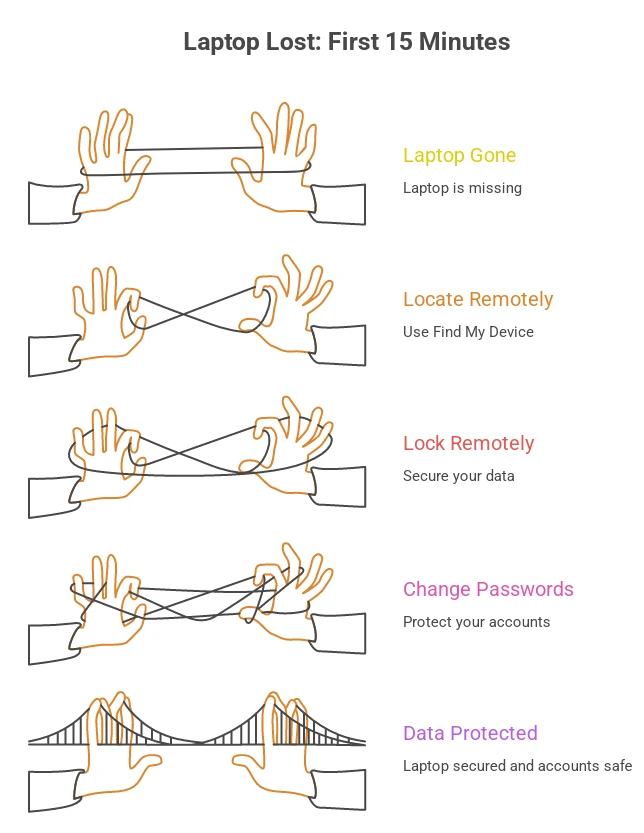
When you realise your laptop is gone the clock starts immediately. These three things need to happen fast.
1. Try to locate it remotely
Open another device right now and check:
- MacBook → use Apple’s Find My at icloud.com to locate your device instantly
- Windows laptop → sign into
Microsoft
Account Devices page and use
Find My Device to lock it remotely - Chromebook → sign into Google account → google.com/android/find
If it shows as online you have a location. If it’s offline it shows the last known location — which is still genuinely useful information.
2. Lock it remotely
If you can reach it through Find My Device, lock it immediately. Add a message on the lock screen — something like “This laptop is lost. Please call [your number].” This protects your data while giving an honest finder a direct way to contact you.
3. Change your most important passwords
Before anyone can access your accounts from the laptop, change passwords for your email, bank, and any work systems. Do this from your phone right now. Don’t wait.
🔍 Retrace Your Steps Properly
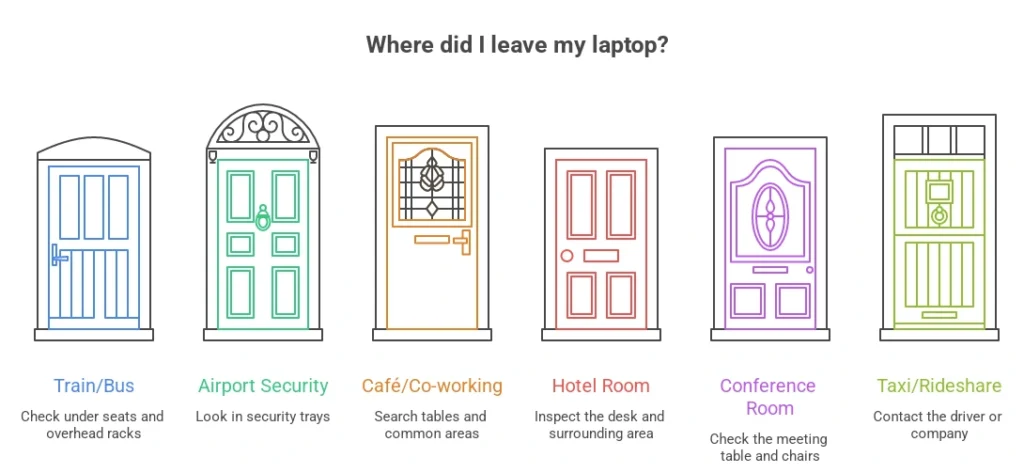
Once the immediate digital security is handled, think physically. The most common places laptops get left behind:
- Train or bus seats — slid under the seat or left in the overhead rack
- Airport security trays — put through the scanner and walked away without it
- Café or co-working space — working, got distracted, left it on the table
- Hotel room — left on the desk when checking out in a hurry
- Conference room — left behind after a meeting
- Taxi or rideshare — put on the back seat and forgot when you got out
Call the last place you were immediately. Don’t send an email hoping someone responds — actually call and ask them to physically check right now while you’re on the phone.
🌐 Report It on ReportLostnFound.com
This is the step most people skip — and it’s one of the most effective ones available to you.
Post your lost laptop on ReportLostnFound.com through the Report Lost Item form. Include the brand, model, colour, any stickers or marks on the outside, and where you think you lost it.
Here’s why this matters. Whoever finds your laptop — a train cleaner, a café owner, a fellow commuter — may search online before they do anything official. A report on ReportLostnFound.com gives them a direct path to you without either of you having to go through a slow official system.
It’s free, it works globally, and it takes five minutes. Do it at the same time as you’re making phone calls — not after.
🚔 File a Police Report
For a laptop, always file a police report. Here’s why it actually matters:
- Your insurance — home, travel, or workplace — will almost certainly require a police report before processing any claim
- If the laptop turns up at a pawn shop or second-hand seller, police can trace it back to you if the serial number is on record
- It creates an official document in case your data is later misused
Include the make, model, serial number, and approximate value when you file. In the UK you can report online through police.uk and in the US through USA.gov crime reporting — both without visiting a station in person. Keep the reference number somewhere safe.
🏢 Tell Your Employer Immediately If It's a Work Laptop
This is the conversation nobody wants to have — but it needs to happen fast.
Most companies have remote wipe capabilities for work devices and they need to act quickly to protect company data. Your IT department can also check if there’s corporate tracking software installed that goes beyond standard consumer tools.
Yes it’s uncomfortable. But discovering a security breach weeks later because you delayed reporting it is considerably worse.
🛡️ Check Your Insurance
Before you assume you’re paying out of pocket — check these:
| Insurance Type | May Cover Lost Laptop |
|---|---|
| Home contents insurance | ✅ Often covers portables away from home |
| Travel insurance | ✅ If lost while travelling |
| Credit card purchase protection | ✅ Some premium cards cover this |
| Workplace insurance | ✅ If it’s a work device |
You’ll need the serial number and police report reference for any claim. Keep both somewhere accessible.
💡 Prevention — Set This Up Today
The best time to prepare for a lost laptop is before it happens:
- Enable Find My Device right now — Windows or Mac, takes two minutes to set up
- Set a strong login password — without this, a finder has immediate access to everything
- Enable full disk encryption — BitLocker on Windows, FileVault on Mac
- Back up regularly — cloud storage or external drive, weekly minimum
- Note your serial number — write it somewhere that isn’t on the laptop itself
- Add a contact sticker to the base of the laptop with your email address — simple, cheap, and surprisingly effective
✅ Complete Action Checklist
✅ Track remotely via Find My Device or iCloud
✅ Lock remotely and add contact message
✅ Change email, bank and work passwords immediately
✅ Call the last place you visited
✅ Post on ReportLostnFound.com
✅ File a police report with serial number
✅ Tell your employer if it’s a work device
✅ Check home, travel and card insurance
✅ Monitor accounts for suspicious activity
✅ Final Thought
The difference between getting a lost laptop back and losing it forever is almost always speed. The people who act in the first hour — tracking it, calling ahead, reporting online — give themselves a real chance.
Use every channel available to you at the same time. Don’t pick one and wait — do them all in parallel.
And if you haven’t done it yet — head to ReportLostnFound.com right now and post your report. It’s free, it reaches people globally, and it could be exactly how you get it back.